
Sponsoring a co-hosted event: who can take part
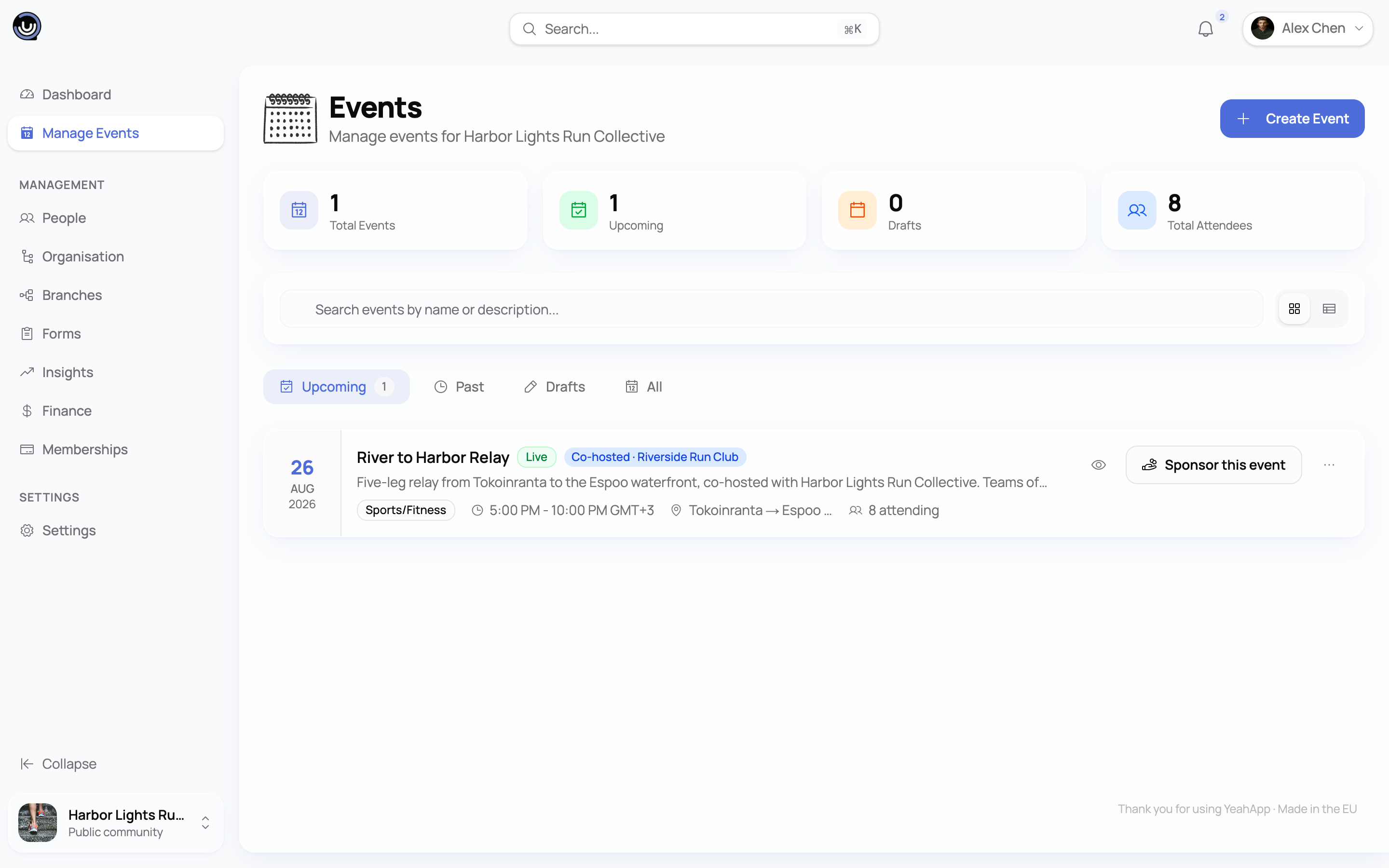
When two communities run an event together, one is the main host and the other is the co-host. The main host organises the event and collects any ticket revenue. The co-host can help carry the cost by sponsoring the event — sending a one-off contribution toward the main host through Stripe.
The short answer. Both communities, the one sponsoring and the one receiving, need a Stripe account registered in one of YeahApp's supported European countries. Within that list, money can move between any two of them. If either side is outside it, sponsorship isn't available for that event. You can still co-host together; you just can't move money between you through the platform.
The supported countries
YeahApp is live in Europe first. Running a paid community — selling tickets, charging membership, or sponsoring an event — means having a Stripe account in one of these 32 countries:
Austria, Belgium, Bulgaria, Croatia, Cyprus, Czechia, Denmark, Estonia, Finland, France, Germany, Greece, Hungary, Ireland, Italy, Latvia, Liechtenstein, Lithuania, Luxembourg, Malta, Netherlands, Norway, Poland, Portugal, Romania, Slovakia, Slovenia, Spain, Sweden, Switzerland, the United Kingdom, and Gibraltar.
For sponsorship, both the sponsoring community and the receiving community must be on this list. It's the country your community's Stripe account is registered in that counts, not where your members live or where the event is held. And it works in any direction: a German community can sponsor a French one, a UK community can sponsor a Finnish one, and so on.
Iceland is the one European gap. Iceland is part of the EEA, but Stripe doesn't support Stripe accounts there, so it can't take part for now.
The platform itself is operated by Elevatech Oy, registered in Finland. Because we're Europe-first at launch, sending and receiving money both sit inside this one supported region. As YeahApp opens up to more of the world, ticket sales will reach further than cross-community sponsorship does, but at launch they share the same list.
What it settles in (currency)
A sponsorship is settled in the main host's Stripe currency, usually the euro.
Most of the supported countries use the euro, but a few don't (for example the Danish krone, Swedish krona, Polish złoty, Norwegian krone, Swiss franc, or pound sterling). If your community's currency differs from the main host's, Stripe converts the amount at its own exchange rate when the contribution lands, and a small conversion cost may apply. You'll see the amount and currency before you confirm.
Before you try to sponsor
Run through this quick checklist. If any line fails, the sponsor option won't be available.
- Both communities are in a supported country (the list above).
- Both communities have an active, fully verified Stripe account. "Active", not "Pending" — see Connecting your Stripe account if yours is still being verified. Stripe's identity checks (KYC) on both sides are what make this safe to do at all.
- You are the community owner. Only the owner can authorise a contribution, because the owner is the person Stripe has verified for that community's account. Admins and moderators can co-host and manage the event, but they can't move the community's money.
- A small platform fee applies. YeahApp keeps a flat 1% of the contribution; the rest goes to the main host. The fee is shown before you confirm.
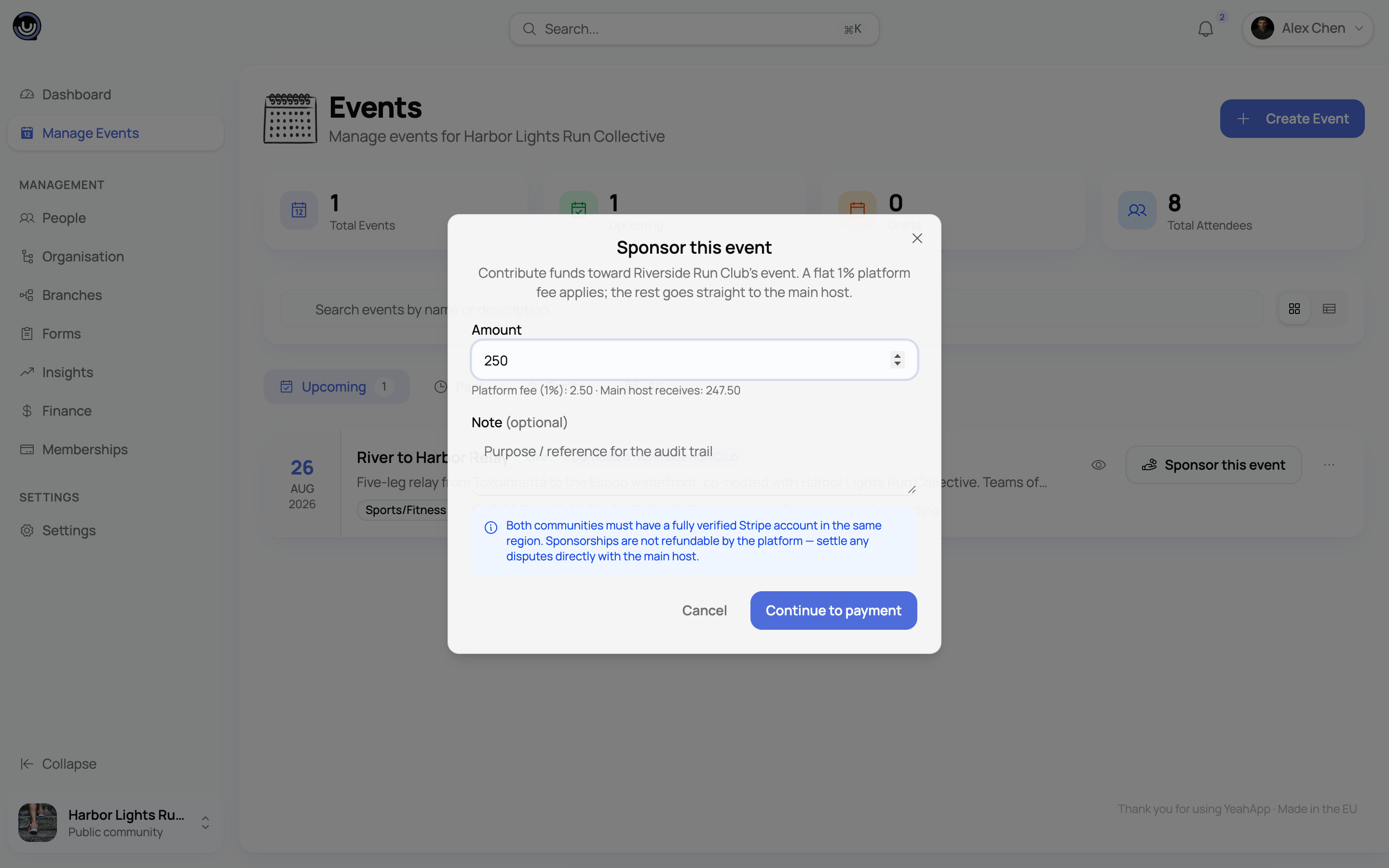
Eligibility at a glance
Things that often trip people up
Trying to sponsor from outside the supported list. Both communities need a Stripe account in one of the supported European countries. If your co-host is elsewhere, you can still run the event together — share the visibility, attendee lists, and check-in — but the sponsor button won't appear.
Trying to sponsor before Stripe is fully verified. If either community's Stripe status is still "Pending", the sponsor option stays hidden. Finish verification on both sides first.
Expecting an admin to send the money. Only the owner can. It's the same owner-only rule that governs everything to do with a community's Stripe account.
What's next
- Connecting your Stripe account — get your community's Stripe to "Active" before you try to sponsor or receive a sponsorship.
- Setting up your YeahApp account — best practices — pick the right entity type (Individual, Company, or Non-profit) when you onboard.
- Creating and organising an event — the basics of running an event, including co-hosting.