
Extending your community with apps
How the app marketplace works on YeahApp — installing and uninstalling apps, what they cost, and how to request one that doesn't exist yet.
YeahApp's core features — events, forms, posts, member management — come with every community. Apps are optional extras you install on top, each adding a focused set of features. Two are live today: Appointments, for one-to-one booking, and Circles, for running recurring groups with attendance tracking.
This guide covers how the marketplace itself works — what apps cost, how to install and uninstall one, and how to ask for an app that doesn't exist yet.
Apps bill on your existing subscription
Installing an app doesn't create a separate subscription or send you through checkout again. It adds a line item to the same Stripe subscription that already covers your community's plan, so your plan and every app you've installed all appear on one invoice.
Depending on your tier, an app is one of three things:
- Bundled free. Some apps are included at no extra cost once your community reaches a given tier — Appointments, for example, is free on Pro and Business.
- A paid add-on. Below the tier where an app is bundled, you can still install it, but it's billed separately.
- Coming soon. Apps still in development are listed in the marketplace so you know what's on the way, but they can't be installed yet.
Each app's card in the marketplace carries a status — Installed, Free with your plan, Requires [Tier], or Coming soon — so it's clear at a glance what applies to your community.
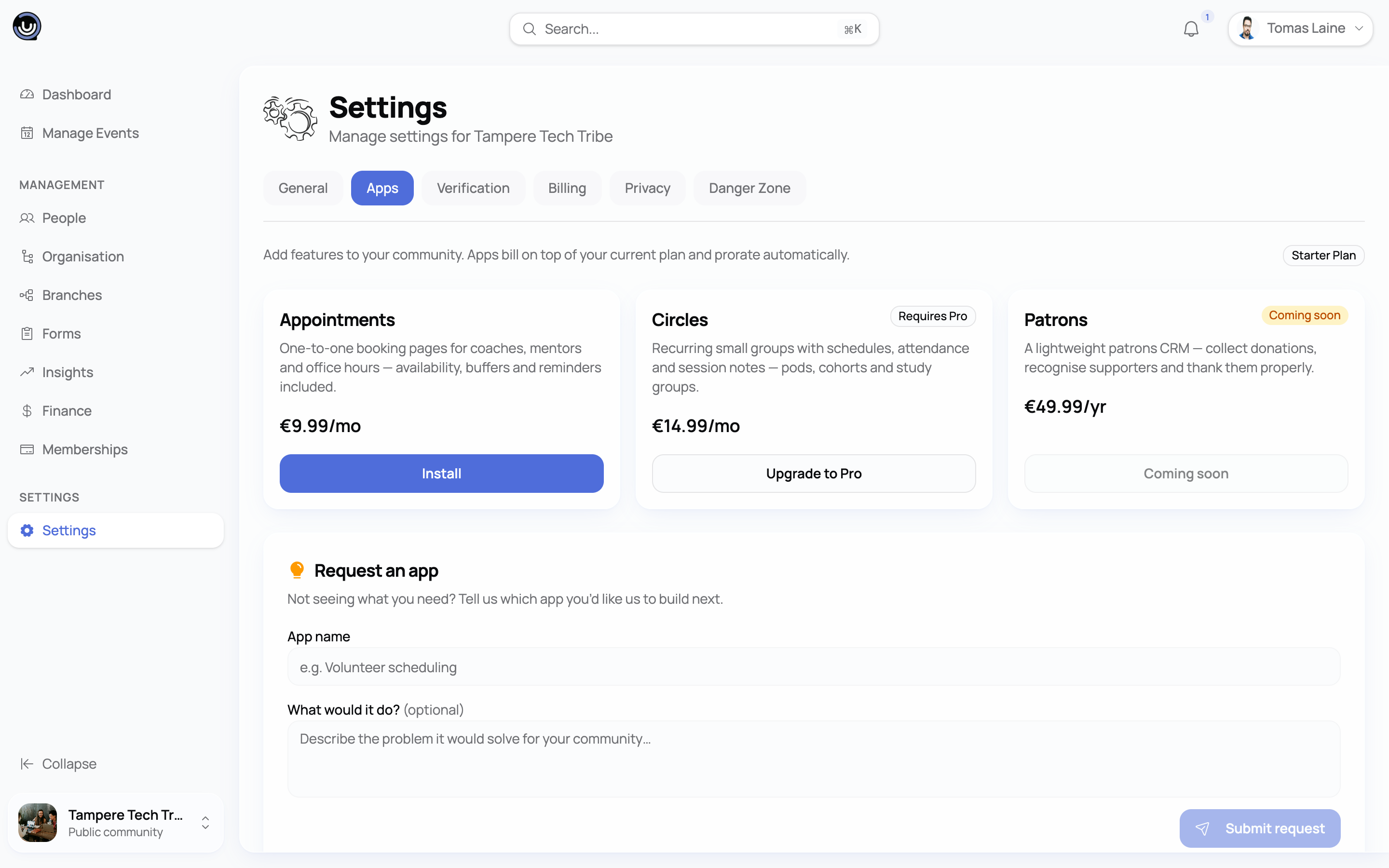
Heads up. Installing any app — even a bundled one — needs your community to already be on an active paid plan. If your community doesn't have a subscription yet, start there. See Billing & Cancellation Policy.
Installing an app
From your community's Settings, open the Apps tab. Installing and uninstalling apps is limited to Owners and Admins.
- Browse the available apps and select Install on the one you want.
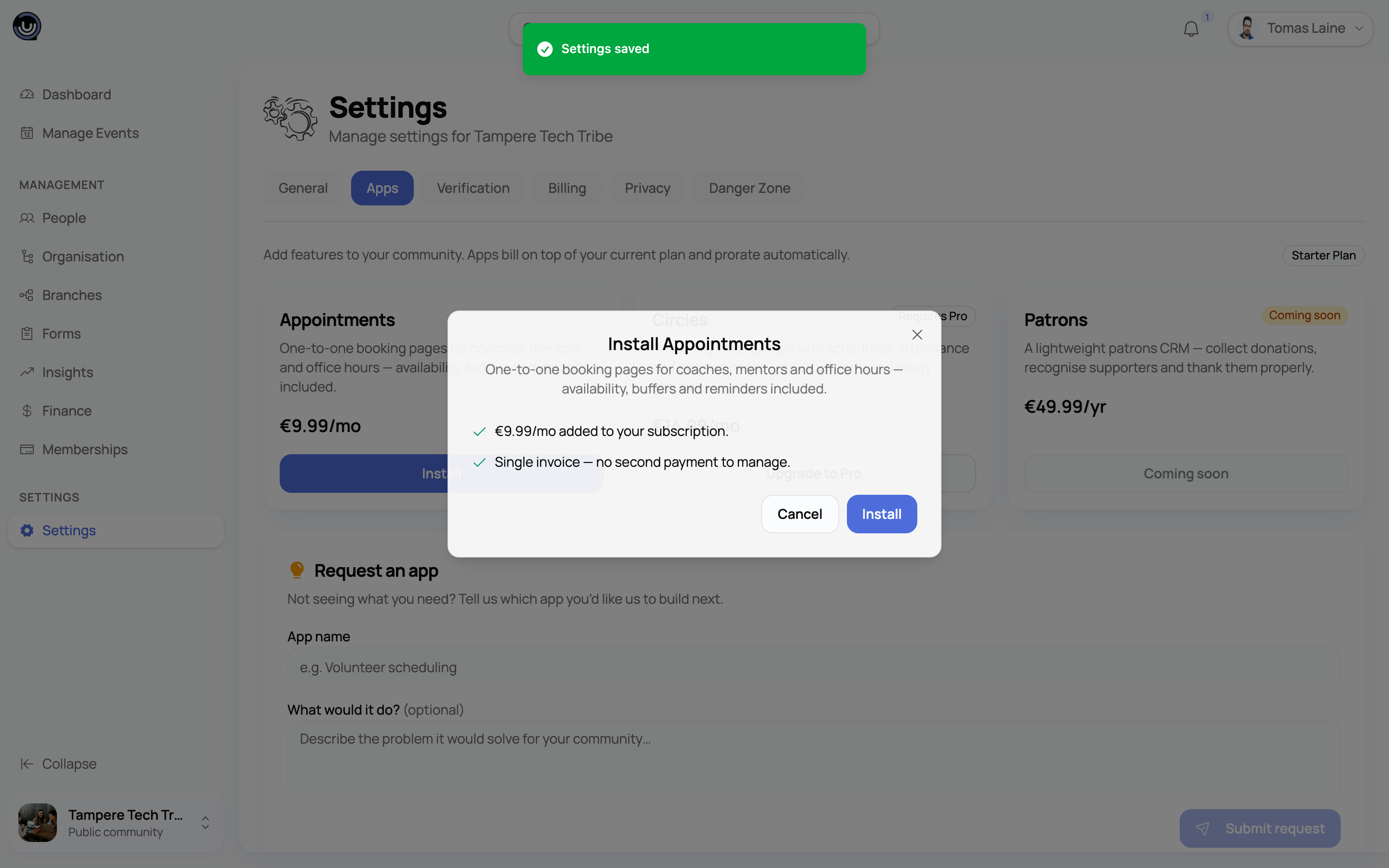
- YeahApp shows a preview before anything is charged:
- If the app is bundled on your current tier, the preview simply confirms it's free with your plan.
- Otherwise, it shows the prorated amount due today, plus a note on what it costs at your next renewal.
- Confirm, and the app is added straight away.
If your tier is too low for the app, the Install button is replaced with an upgrade prompt pointing you at the tier you'd need.
A paid install is charged immediately — prorated for whatever's left of your current billing period — and then continues alongside your platform subscription at each renewal. A bundled install costs nothing and never touches your invoice.
Once it's installed
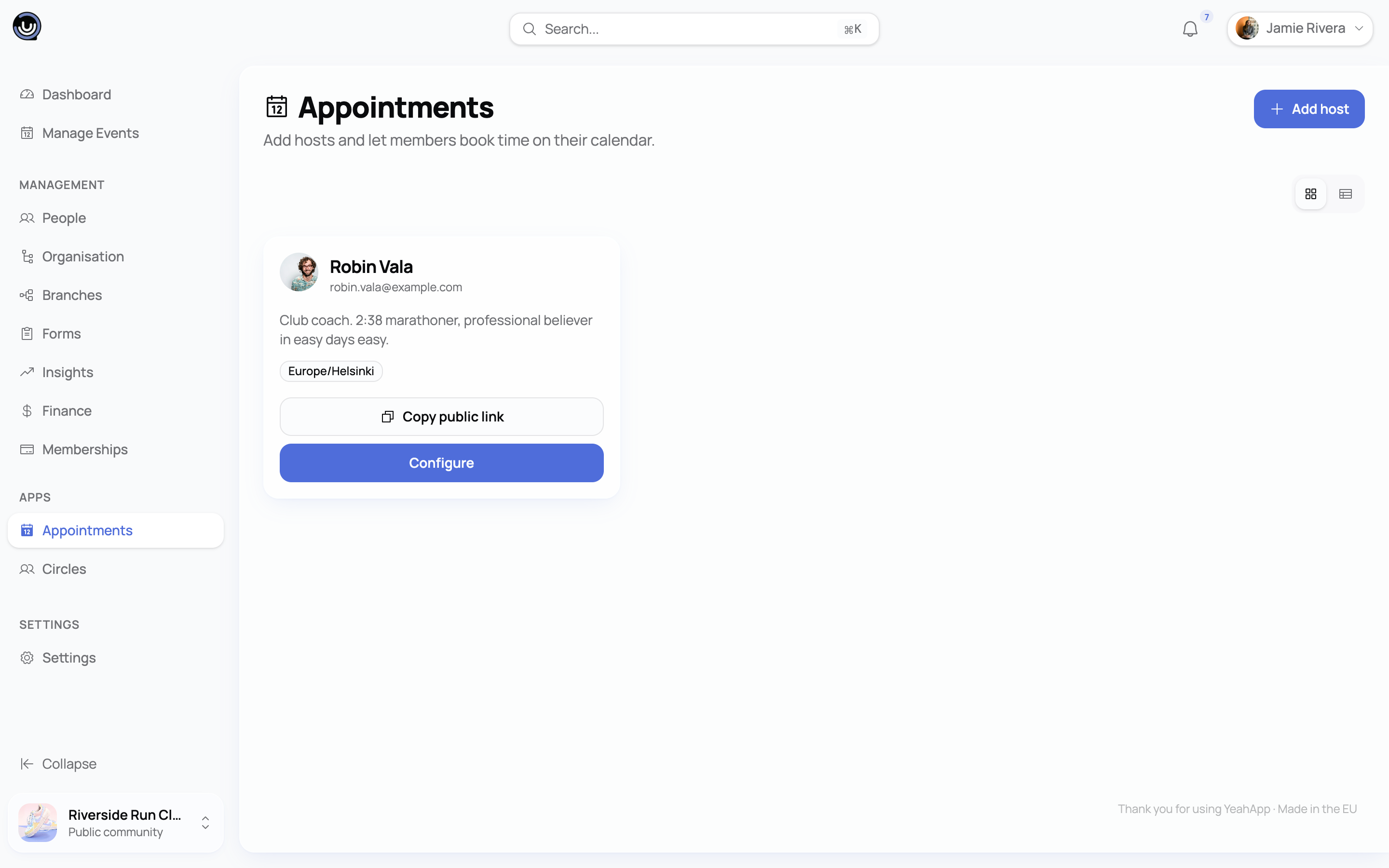
Every app you install adds its own section to your community's management sidebar, visible to Owners and Admins, so you can get straight to it instead of hunting through settings. What that section contains depends on the app — see the Appointments and Circles guides for what each one adds.
Apps and branches
If your community has branches, apps live on the root community — the same way your subscription does. Install an app once on the root and it's available in every branch automatically, listed in each branch's Apps tab as inherited.
Trying to install directly from a branch won't work — YeahApp points you at the parent community instead, explaining that branches inherit their parent's apps and that installing on the parent makes the app available in the branch straight away.
For the same reason, you won't be shown a price preview on a branch — there's no branch-level subscription to prorate a charge against. Do the install from the root and the preview appears as normal.
Uninstalling from the root removes the app across the whole family. See Sub-communities and branches.
Uninstalling an app
Open the same Apps tab and select Uninstall on any installed app. YeahApp doesn't delete anything you've already built with it — past bookings, groups, sessions, whatever the app stored stays exactly as it was — it just stops accepting new entries until you reinstall.
- If you were paying for the app, uninstalling issues a prorated credit for the unused portion of your current period, applied automatically to your next invoice.
- If the app was bundled free, uninstalling simply removes it — there's nothing to credit.
If your community later drops to a tier where an app is no longer bundled, YeahApp removes the free install automatically, at no charge, since you were never paying for it. If you come back to a qualifying tier afterwards, it doesn't return on its own — you'll need to reinstall it from the Apps tab. An app you're paying for directly isn't touched by tier changes at all; you keep it for as long as you keep paying for it.
If a charge for a paid app fails, that app shows a Past due badge on its card until your community's billing is sorted out.
Requesting an app that doesn't exist yet
Below the app cards, the Apps tab has a wishlist. Any member of your community can suggest an app — a name and, optionally, a few details about what you'd want it to do.
Requests aren't just visible to your own community — they pool into one shared list across every community on YeahApp, so demand for similar ideas adds up in one place instead of getting lost in separate silos. You'll see each request's total vote count and whether it came from your own community, but not which other community or member submitted it.
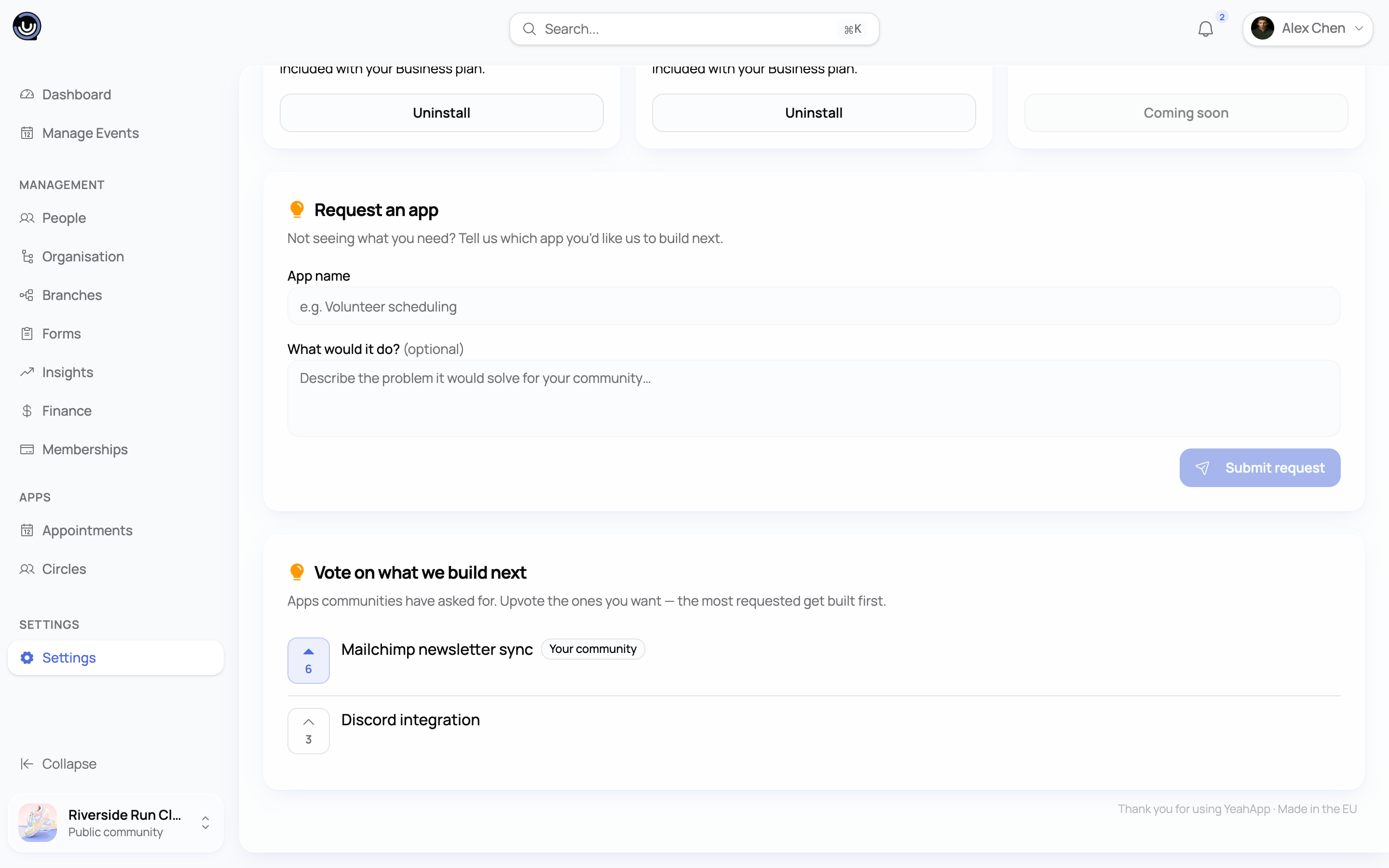
Owners and Admins can upvote a request they'd like to see built. It's one vote per person per request, and voting again clears it. The more votes a request has, the more it stands out to us when we're deciding what to build next.