
Community Roles & Permissions
Every community has one Owner and three roles you can assign below them: Admin, Moderator, and Member. The role someone holds sets what they can see and do.
Every community has one Owner and three roles you can assign below them: Admin, Moderator, and Member. The role someone holds sets what they can see and do.
The four roles
| Role | Who it's for | Summary |
|---|---|---|
| Owner | The person who created the community | Absolute control. Everything an Admin can do, plus exclusive ownership that can't be revoked. Ownership only changes through a deliberate transfer. |
| Admin | Co-administrators appointed by the owner | Full control over the community: settings, members, events, forms, analytics, and branches. |
| Moderator | Trusted members, event organisers, support staff | Day-to-day operations: run events, manage content and forms, and review join requests. Can't change settings or billing, and can't invite, remove, or ban members. |
| Member | General community participants | Participation: post, comment, attend events, and view and submit forms. |
Some apps add a small role of their own on top of these. In Circles, an ordinary Member can be made the Mentor of one specific circle, and that Mentor can appoint an Assistant to help run it. Those roles apply to that one circle only — they don't change anything the person can do elsewhere in the community. They also aren't automatic for Admins: an Admin can look in on every circle, but actually running one — setting the schedule, creating sessions, taking attendance, writing notes — is the Mentor's and Assistant's job. See Circles: recurring groups.
What each role can do
Owners can do everything in this table, so they're listed alongside Admins.
| Action | Owner | Admin | Moderator | Member |
|---|---|---|---|---|
| Transfer or delete the community | ✅ | ❌ | ❌ | ❌ |
| Manage community settings | ✅ | ✅ | ❌ | ❌ |
| Change member roles | ✅ | ✅ | ❌ | ❌ |
| View the member list and emails | ✅ | ✅ | ✅ | ❌ |
| Review and approve join requests | ✅ | ✅ | ✅ | ❌ |
| Invite, remove, and ban members | ✅ | ✅ | ❌ | ❌ |
| Create and manage events | ✅ | ✅ | ✅ | ❌ |
| Manage RSVPs and registrations | ✅ | ✅ | ✅ | ❌ |
| Moderate content | ✅ | ✅ | ✅ | ❌ |
| Send communications | ✅ | ✅ | ✅ | ❌ |
| Create and manage forms | ✅ | ✅ | ✅ | ❌ |
| View form submissions | ✅ | ✅ | ✅ | ❌ |
| Manage form submissions | ✅ | ✅ | ❌ | ❌ |
| View analytics and reports | ✅ | ✅ | ❌ | ❌ |
| Manage branches | ✅ | ✅ | ❌ | ❌ |
| View branches | ✅ | ✅ | ✅ | ❌ |
| Create posts | ✅ | ✅ | ✅ | ✅ |
| Comment | ✅ | ✅ | ✅ | ✅ |
| Join events | ✅ | ✅ | ✅ | ✅ |
| View and submit forms | ✅ | ✅ | ✅ | ✅ |
| View community content | ✅ | ✅ | ✅ | ✅ |
The line that catches people out is member management. A Moderator can see the member list and approve or reject people asking to join, but inviting, removing, and banning are Admin-only.
How roles are assigned
When a community is created, the creator becomes the Owner.
When a new member joins, they get the Member role by default.
To change someone's role:
- Go to Members in the community dashboard.
- Find the member.
- Select their current role and choose a new one.
- Save.
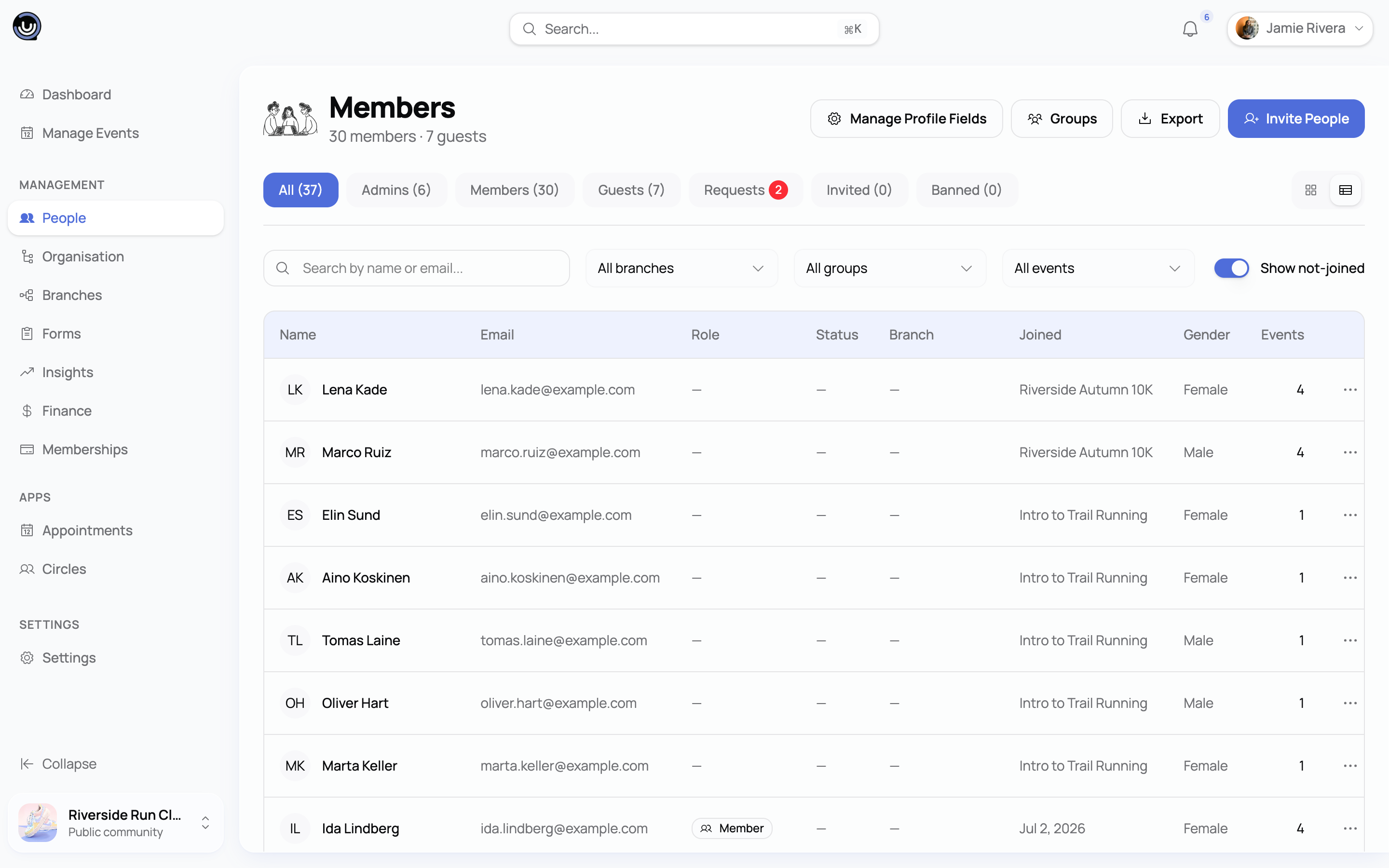
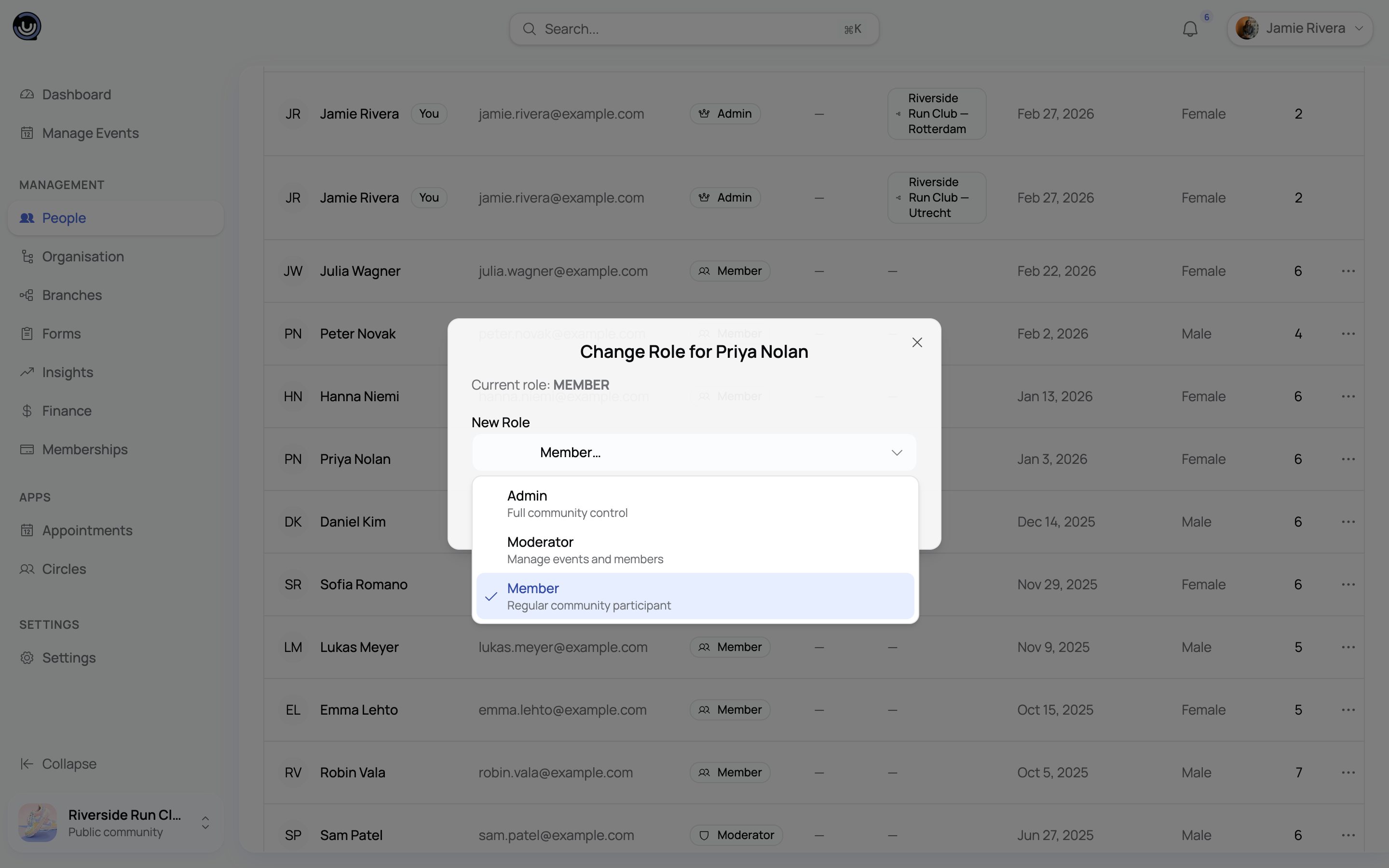
Only Owners and Admins can promote or demote members.
⚠️ There's only one Owner per community, and the Owner role can't be reassigned from the members panel. Handing the community to someone else goes through a separate ownership transfer.
Which role should I assign?
| Situation | Recommended role |
|---|---|
| Person who created and owns the community | Owner |
| Co-founder or trusted partner running day-to-day operations | Admin |
| Event organiser who runs events but doesn't manage settings | Moderator |
| Community manager handling member support | Moderator |
| Regular community participant | Member |
| Guest, sponsor, or read-only observer | Member |