
Welcome to YeahApp
YeahApp is where communities manage events, members, and payments — not three separate tools you're bouncing between, but one place. It's built for communities where membership has real weight: professional networks, alumni groups, trade associations, incubators.
YeahApp is where communities manage events, members, and payments — not three separate tools you're bouncing between, but one place.
It's built for communities where membership has real weight: professional networks, alumni groups, trade associations, incubators. Groups where who shows up, and whether they've paid, actually matters.
What you can do
Events — Create them, sell tickets, and check people in on the day with QR codes. Attendance logs itself to each member's profile.
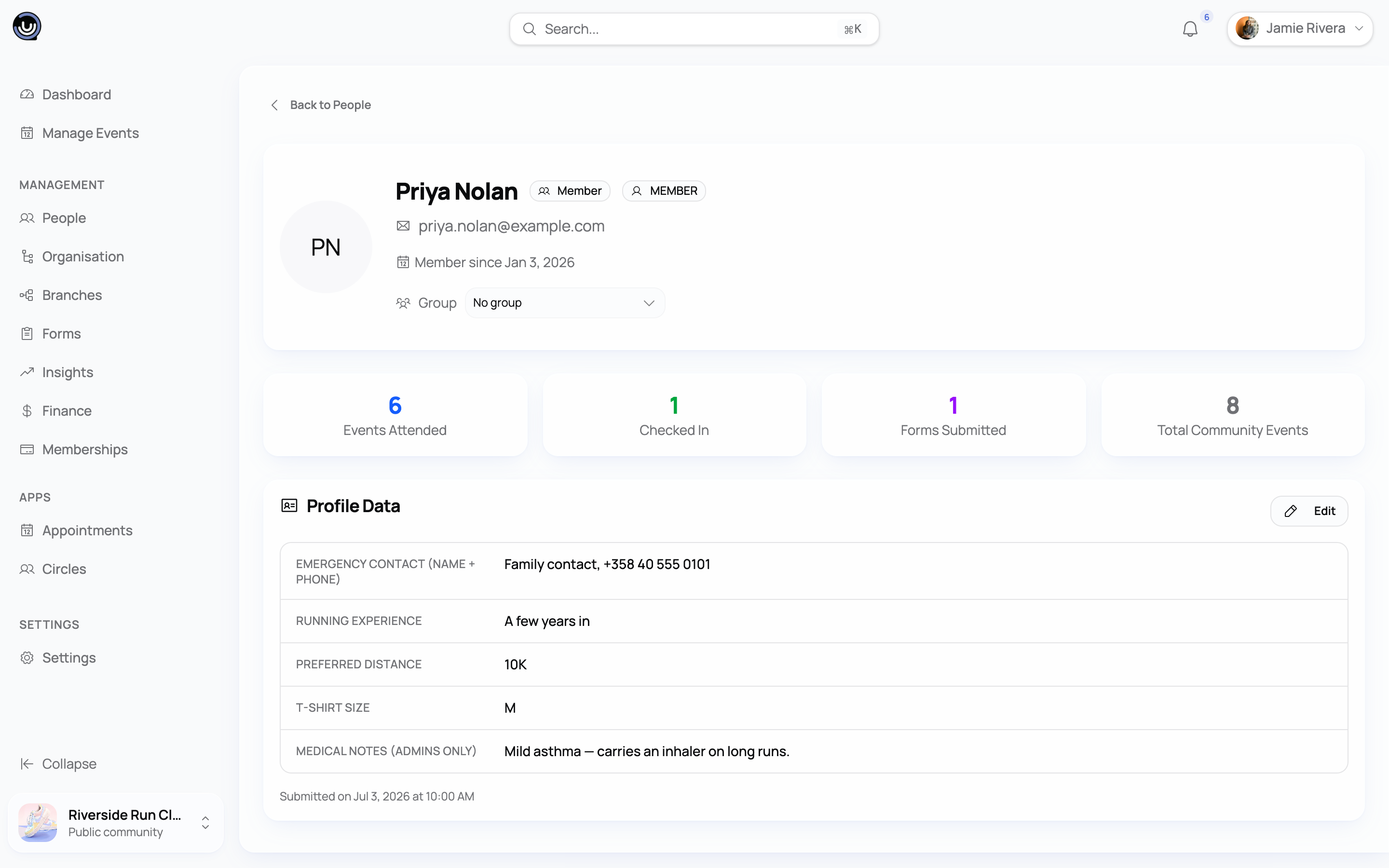
Members — Every person has a profile that builds over time: join date, event history, subscription status, payment history. You can search and filter your directory to find who you need.
Membership fees — Set up recurring plans with monthly, quarterly, semi-annual, annual, or lifetime billing. Members subscribe through Stripe and handle their own renewals and cancellations from their account settings.
Forms — Build a registration form and attach it to an event. When someone registers, their answers go straight to their member profile. You don't re-enter anything.
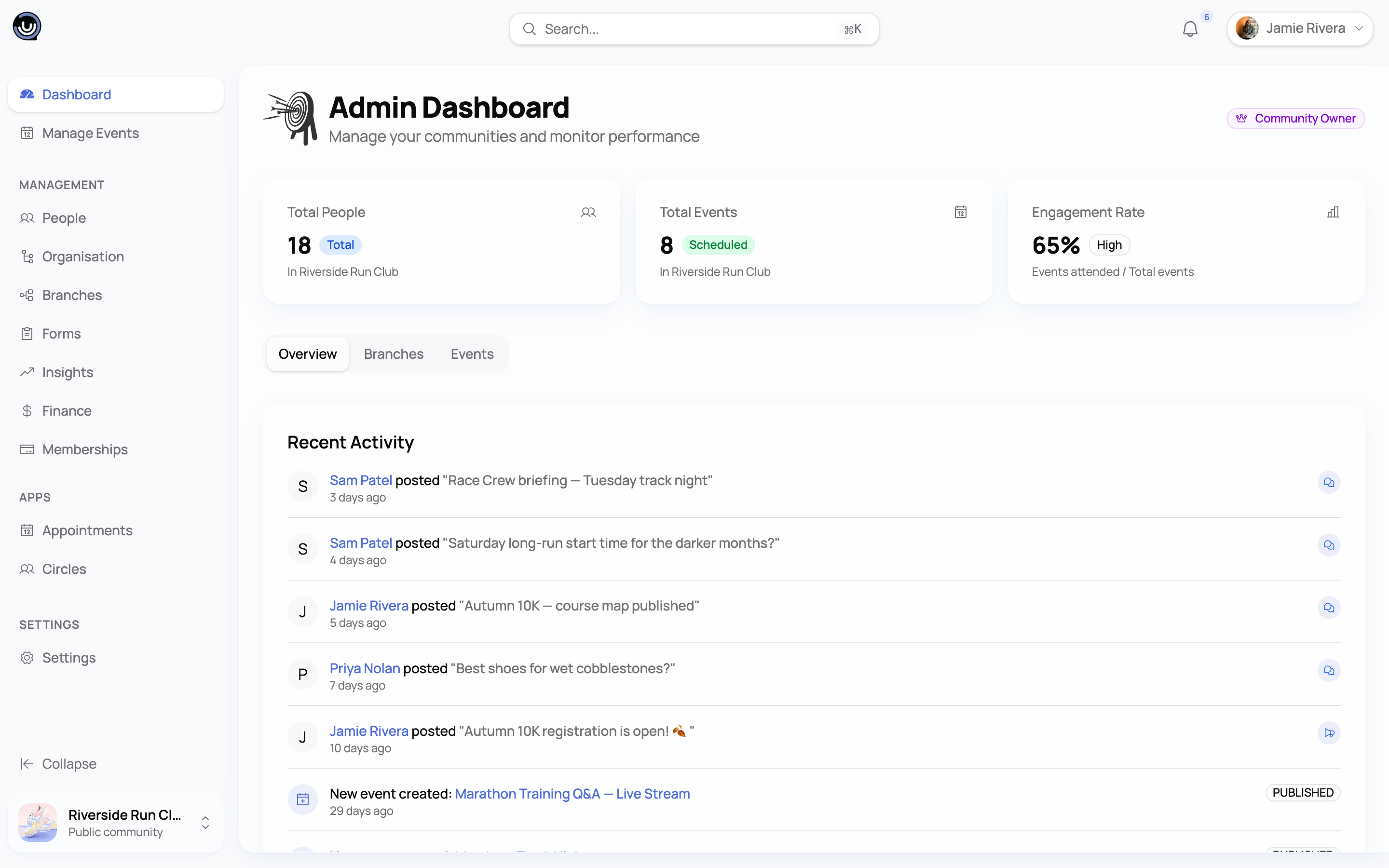
Analytics — Member counts, event attendance, ticket sales, and membership revenue on one dashboard.
How it connects
Registration, payments, and member data all feed into the same place. When someone registers for a paid event, the ticket purchase links to their profile. When they subscribe to a membership plan, their access is managed from there too. Forms work the same way — answers go straight to the member record.
Who does what
When you create a community, you're the Owner. You have full control over settings, members, events, and billing.
Three other roles from there:
- Admins can do most of what you can. They manage members, create events, configure settings, and pull reports.
- Moderators handle the operational work — running events, managing members, creating forms — but can't touch settings or billing.
- Members are your community participants. They join events, fill in forms, and post.
For the full permissions breakdown, see Community Roles & Permissions.
Starting out
If you haven't set up a community yet:
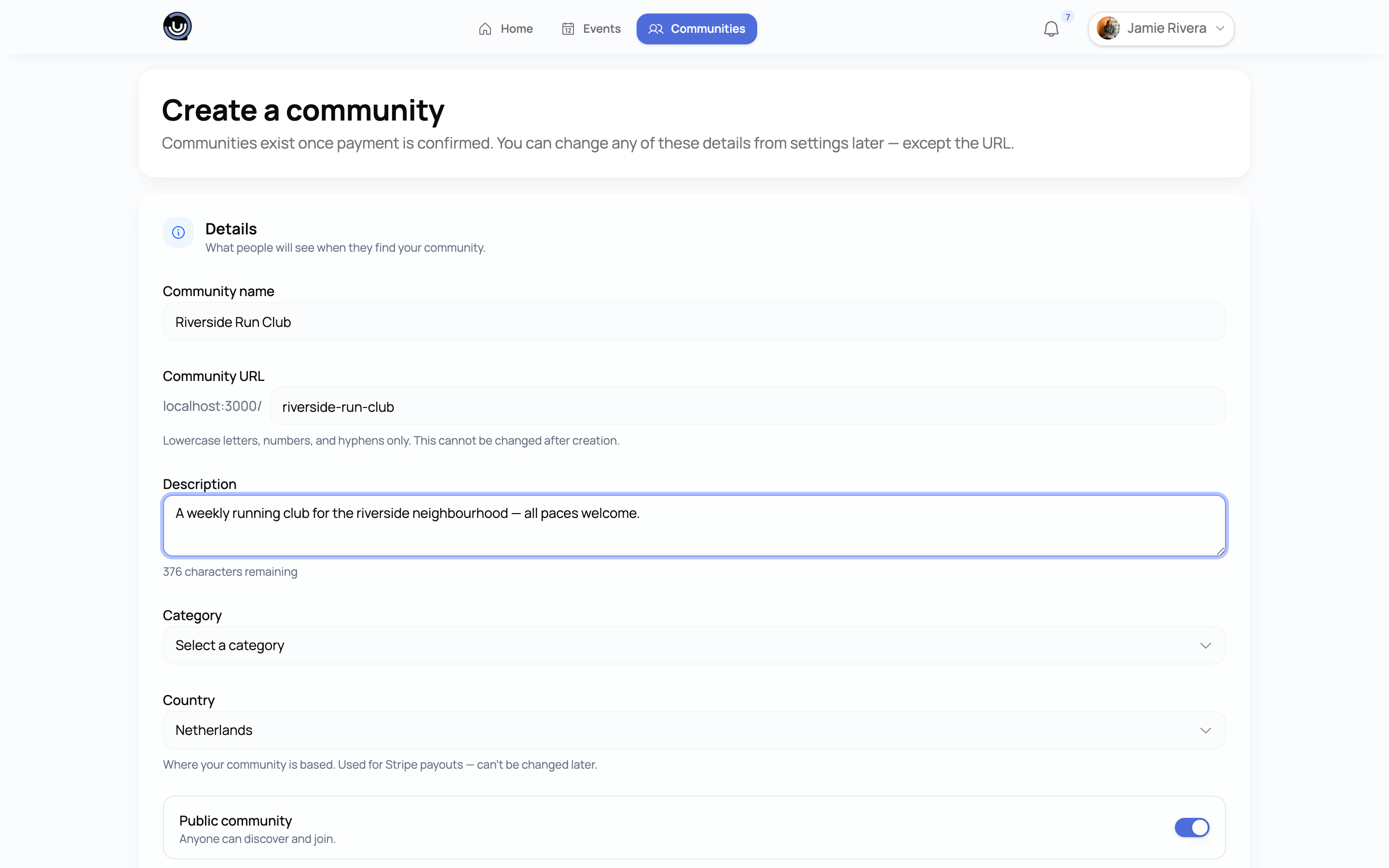
- Create your community — takes about two minutes. You'll pick a name, a URL slug, and a short description.
- Invite your admins before you start building.
- Create a draft event. Even an unpublished one is useful for testing registration and forms.
- If you're charging membership fees, read Creating a Membership Plan once your community is live.
The rest of the docs are organised by feature. Each article covers one thing and stands on its own.