
Billing & Cancellation Policy
This page explains how YeahApp charges for communities and what happens when you upgrade, downgrade, or cancel. Plain language — the legal version lives in our Terms of Service.
This page explains how YeahApp charges for communities and what happens when you upgrade, downgrade, or cancel. Plain language — the legal version lives in our Terms of Service.
How billing works on YeahApp
YeahApp charges per community, not per user.
- Creating a YeahApp account is free.
- Creating a community requires picking a plan and paying through Stripe Checkout.
- Plans available: Starter (€99/year), Pro (€249/year), Business (€499/year).
- Billing is annual only — one yearly charge per community. We don't offer monthly billing.
- One person can run as many communities as they want. Each community has its own plan and its own annual subscription.
- Members who join your community pay nothing to YeahApp. Membership fees, ticket fees, and other charges set by you (the organiser) are between you and your members.
Upgrading your plan (Starter → Pro → Business)
Upgrades take effect immediately and are prorated:
- The new plan unlocks the moment payment goes through.
- Stripe charges you the difference between what you've already paid for the rest of the year and the cost of the new plan, prorated to the days remaining.
- Your renewal date doesn't change — you just pay the difference now, and the next full charge happens on the original renewal date at the new tier's price.
Upgrade whenever you want. We make this easy because growing communities shouldn't have to wait.
Downgrading your plan (Business → Pro → Starter)
Downgrades take effect immediately, not at your next renewal:
- The moment the change goes through, your community moves to the lower tier, and the higher tier's features and limits stop applying.
- Because the switch happens part-way through your year, Stripe works out the difference between what you'd already paid for the rest of the year and what the lower tier costs over that same stretch. That difference is credited to your account and applied against future invoices — it is not paid back to your card.
- Your renewal date doesn't change. On that date you're charged the lower tier's full annual price, less any credit still sitting on your account.
- There's no way to schedule a downgrade for a later date, and nothing to cancel once you've made one. If you change your mind, upgrade again.
Think it through before downgrading mid-year. You don't keep your current tier until the renewal date — you lose it straight away. And the money you'd already paid for the rest of the year comes back as account credit, not as a payment to your bank. If your goal is simply to pay less next year, wait until you're close to your renewal date before switching.
Cancellation
You can cancel a community's subscription at any time from your community's billing settings (powered by Stripe Customer Portal).
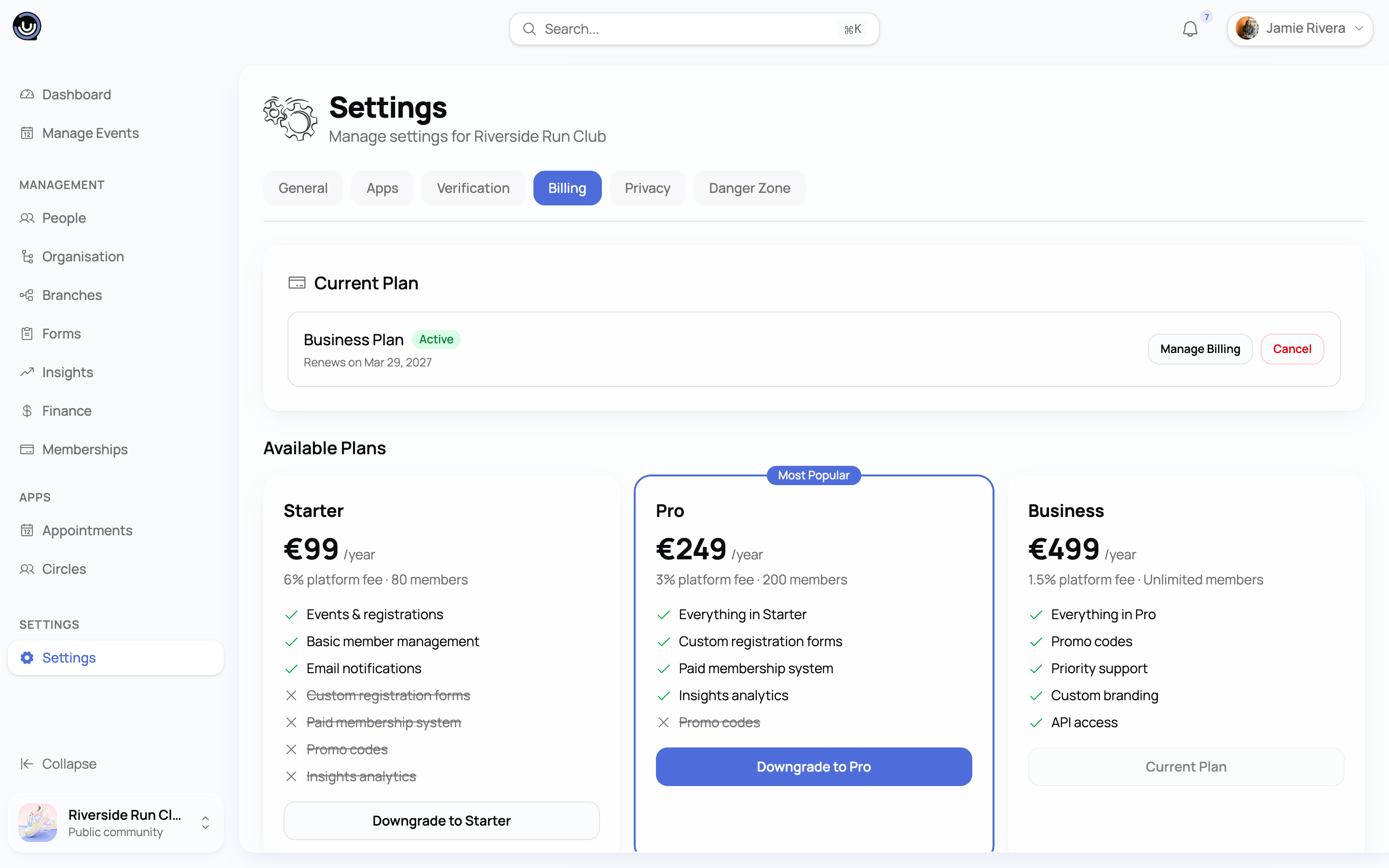
When you cancel:
- Your community remains active and fully usable until the end of your paid annual period.
- At the end of that period, the community becomes read-only for everyone — including you. Existing data stays intact: events, members, posts, ticket history, paid memberships.
- A read-only community can still be viewed by members; existing paying members can still access content they paid for. New events, forms, ticket sales, and member invites are blocked.
- You can reactivate a cancelled community at any time by subscribing again — pick a plan, pay, and the community goes back to fully active. No data loss.
Refunds
YeahApp does not issue refunds for community subscriptions.
Because billing is annual, by paying for a YeahApp community plan you commit to that year. Cancelling early is fine — you simply keep access until the period ends — but we will not refund the unused portion of the year.
This rule has no exceptions for changes of mind or for deciding not to use the platform. We make a free demo available so you can evaluate YeahApp before subscribing.
Downgrading mid-year is the one case where some value comes back to you — and it comes back as credit on your account, applied against future invoices, never as money returned to your card. That's a credit, not a refund.
The only situation where we'll consider a refund is a legitimate duplicate charge or a billing error caused by Stripe or YeahApp on our end — contact support with your invoice ID.
What happens if a payment fails?
Stripe retries failed payments automatically a few times. While retries are pending, your community status becomes Past Due and behaves the same as a cancelled community: read-only for everyone, public ticket purchases and form submissions blocked, member content still accessible.
To reactivate:
- Update your card in Stripe Customer Portal (link from your community's billing settings).
- Stripe charges the failed invoice — your community flips back to Active immediately.
If retries exhaust without success, the subscription is cancelled and the community stays read-only until you start a new subscription.
Disputes & chargebacks
If you initiate a chargeback through your bank instead of contacting us, your community will be immediately set to read-only and may be permanently cancelled depending on the dispute outcome. Stripe fees incurred from the dispute may be passed on. Talk to us first — support@yeahapp.co — we resolve almost everything faster than a bank dispute does.
Questions
Email support@yeahapp.co for anything billing-related. Include your community slug or invoice ID for faster resolution.