
Getting discovered: search and discovery
Where communities and events show up across YeahApp — the public discover pages, in-app search, and quick search — and why being found doesn't depend on your subscription tier.
If you're setting up a community or publishing an event, the first question is usually "will anyone actually find this?" On YeahApp, the answer doesn't depend on your subscription tier or any setting you need to switch on — a public community and a public event are discoverable the moment they're live.
This guide is written mainly for managers and organisers, covering the places your community and events show up and what makes that happen. If you're a member looking for somewhere to join rather than something to run, the same places apply to you too — see the note at the end.
Discovery doesn't depend on your plan
There's no setting to "turn on" discoverability, and no tier that discovery is locked behind. A community appears in public discovery as soon as it's public and active — that's the whole requirement. An event appears once it's published, set to public, and hasn't happened yet. Starter, Pro, and Business communities are all found exactly the same way.
Heads up. Discovery is separate from what a paid plan unlocks. Ticketing, member caps, custom fields, and everything else covered in Understanding your community's money are governed by your tier — being found is not.
The four places people find you
1. Public discover — communities
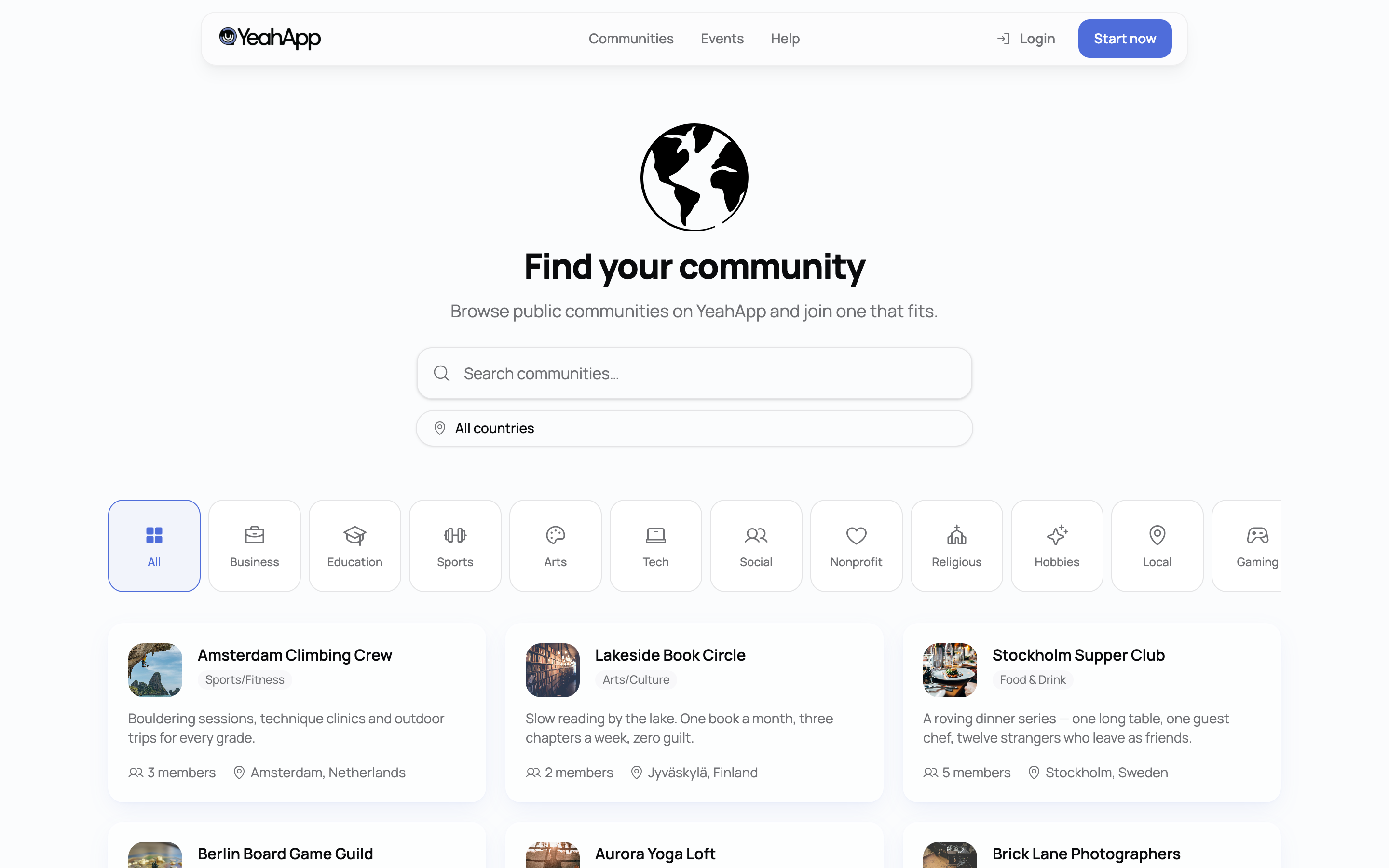
A public page on the YeahApp site lists every public, active community, with no account or sign-in needed. Visitors can search by name or description and narrow results down by country. As they scroll, more results load automatically. Opening a community from here takes a visitor straight to its public profile, with a prompt to sign up if they want to join.
2. Public discover — events
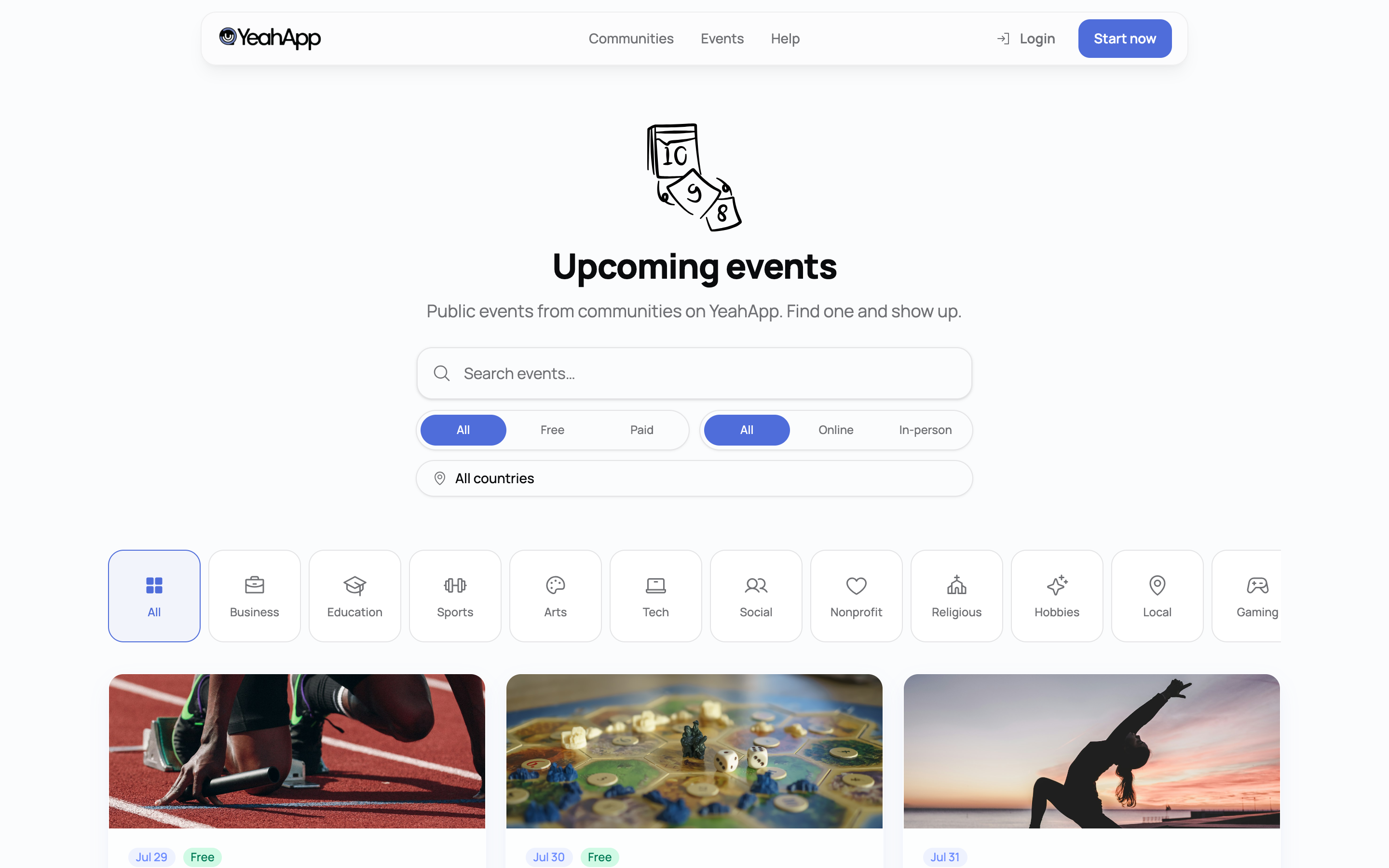
A second public page works the same way for events: every event that's published, open to the public, and still upcoming appears here, with no sign-in required. Alongside text search, visitors can filter by country, whether the event is free or paid, and whether it's online or in person. Past events don't appear here.
3. In-app Discover
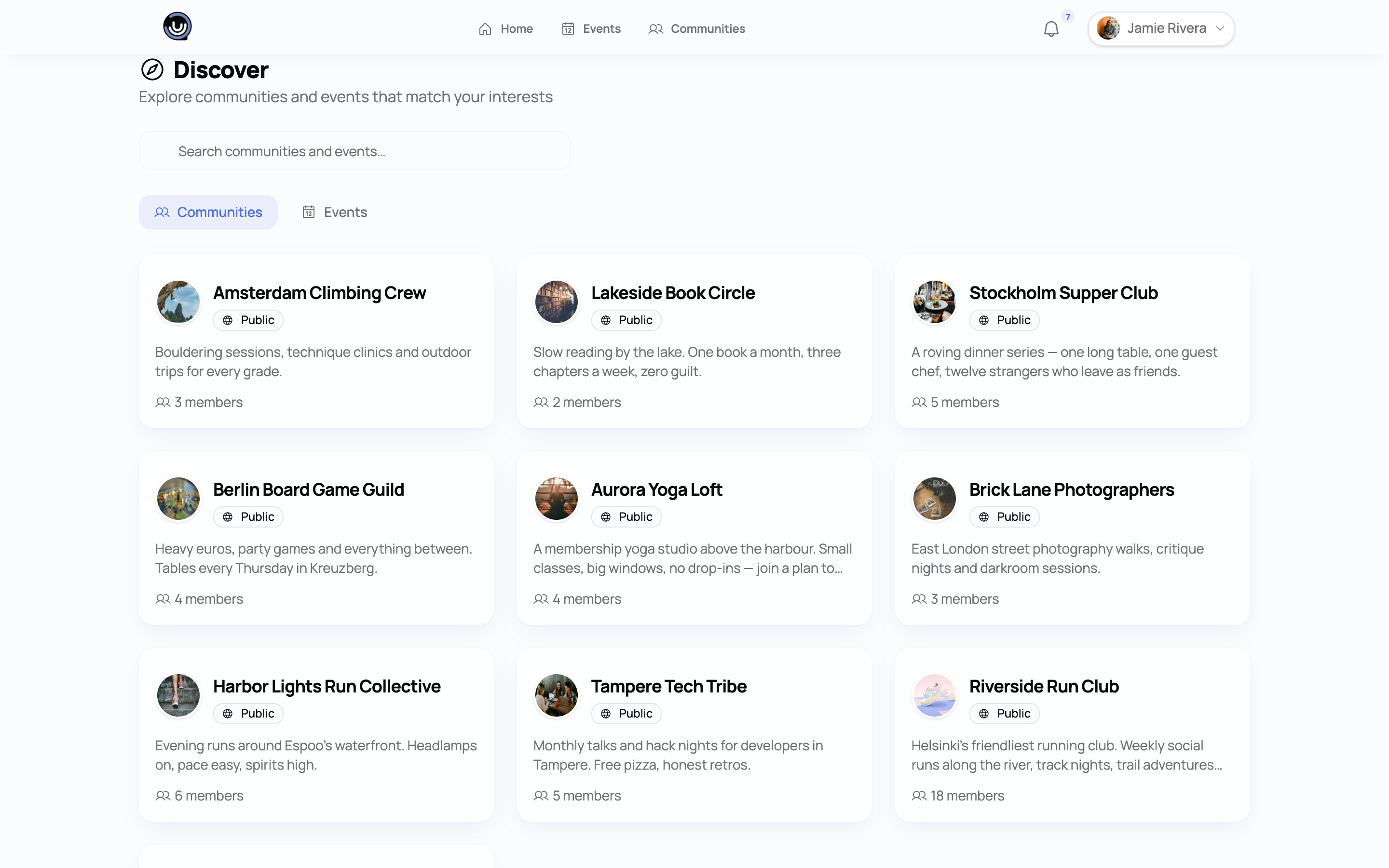
Once someone is signed in, a Discover page inside the app — marked with a compass icon — gives them a search box and two tabs, Communities and Events, to browse without leaving the app shell. The same rule applies: your community or event only needs to be public/active and published to turn up here.
4. Quick search (⌘/Ctrl+K)
Any signed-in member can open a quick-search overlay from anywhere in the app with ⌘K (or Ctrl+K) and get instant results as they type, grouped into Communities, Events, and Members.
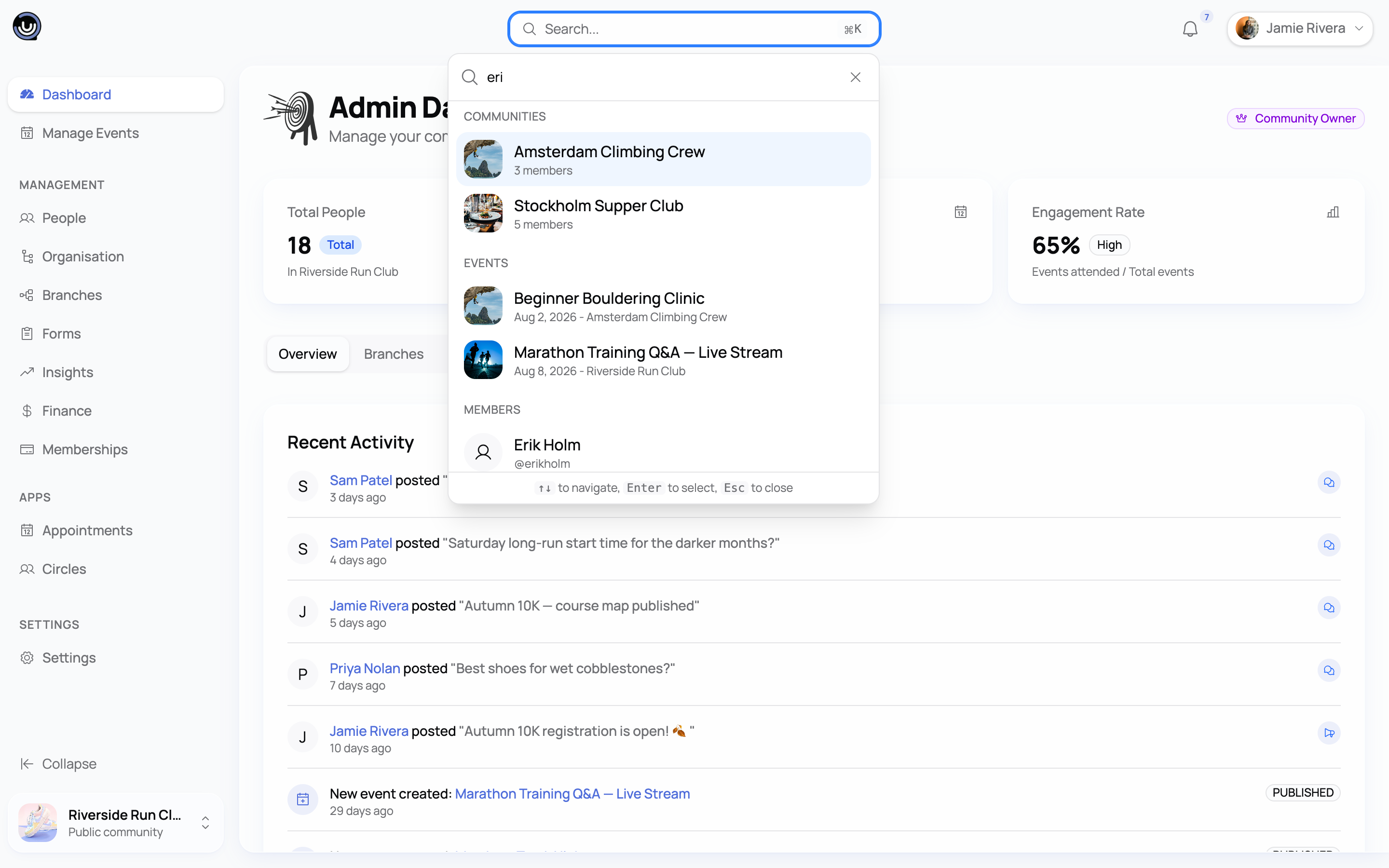
Quick search is scoped a little more tightly than the other three surfaces: it only searches events belonging to communities the searcher has already joined, and it only surfaces members you share a community with. Your community itself is still found here by any signed-in member. So a public event you host will always appear on the public discover page and in in-app Discover — but in quick search specifically, it only turns up for people who are already members of your community.
What actually determines whether you show up
- Public and active/published. This is the one hard requirement, and it applies regardless of tier. A community set to private, or one that's inactive or archived, doesn't appear on any discovery surface. Draft, cancelled, or private events don't appear in public discovery either.
- Your name and description do the matching. Search everywhere on YeahApp looks for the search term appearing in your name, title, description, or (for events) location — plain text matching, not a smart or fuzzy search. There's also no relevance ranking: results are ordered by newest first, or soonest upcoming for events, not by how well they match. It's worth writing your name and description the way people would actually search for you.
- Location needs to name the country. The country filter on both public discover pages matches against your community's or event's free-text location field, not a separate structured field behind the scenes. If your listed location only mentions a city, it won't turn up when someone filters by country — include the country name to be safe.
- Category is a label, not a filter. You can set a category on your community and it shows as a tag on your card, but there's currently no way for visitors to filter by category — don't rely on it as your main way of being found.
For members: this is how you'll find things too
Everything above works both ways. If you're looking to join a community or find an event rather than run one, the same four surfaces are your options: browse or search the public discover pages without signing in, use the in-app Discover tabs once you're signed in, or hit ⌘/Ctrl+K for a fast lookup across communities, events, and the members you already share a community with.