
How event refunds work on YeahApp
YeahApp has a universal refund process that applies to all paid events. Attendees can submit a refund request at any time, and the event organiser reviews it and decides whether to approve or deny it before any refund is issued. This guide covers both sides: what attendees do to request a refund, and what organisers do to manage those requests.
YeahApp has a universal refund process that applies to all paid events on the platform. Attendees can submit a refund request at any time, and the organiser reviews and decides whether to approve or deny it. No refund is issued until the organiser acts.
This guide covers both sides: what attendees do to request a refund, and what organisers do to manage those requests.
For attendees: requesting a refund
If you bought a ticket and want a refund, go to the event page or your ticket details and look for the refund request option. You'll be asked to provide an optional reason before submitting.
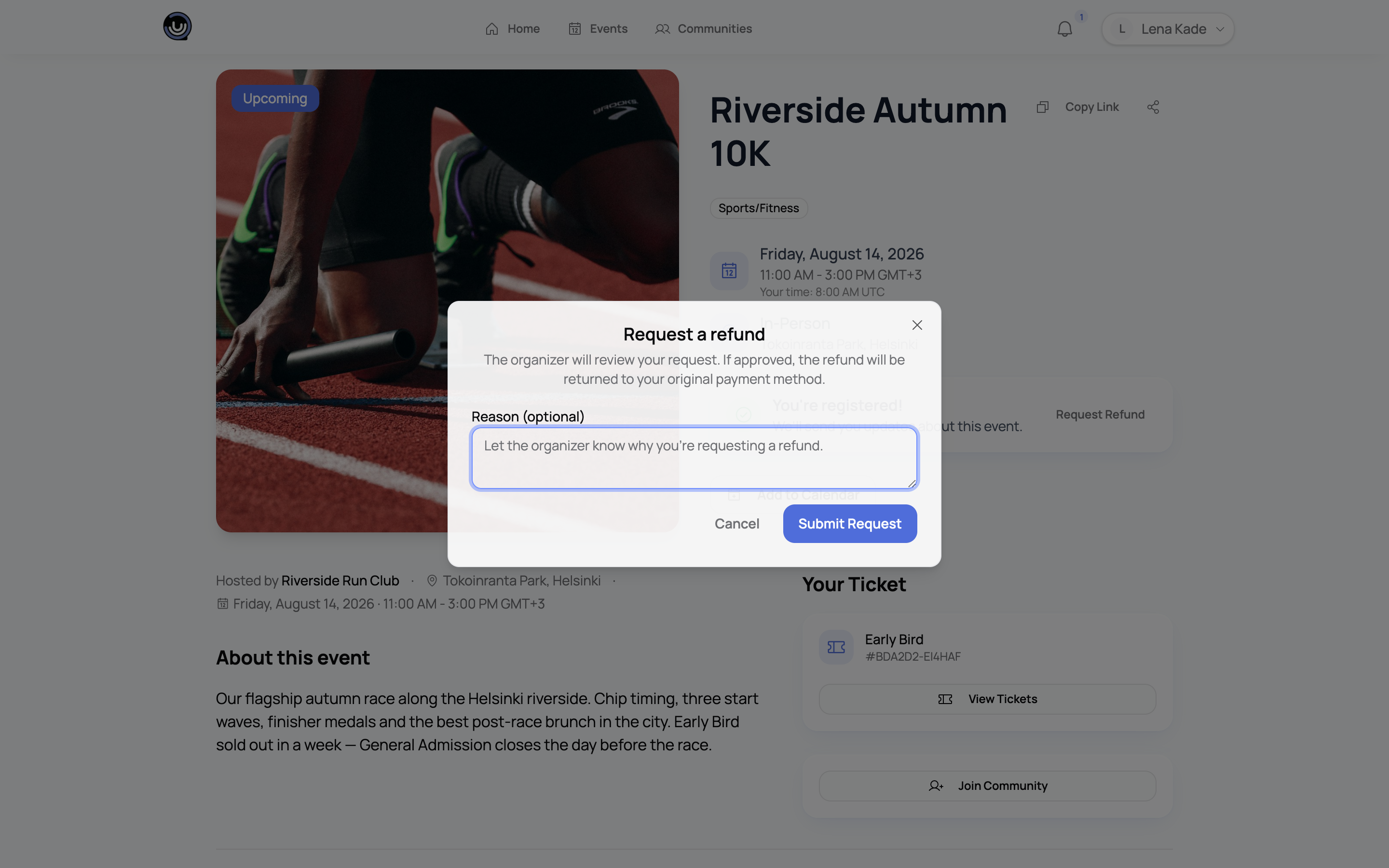
Once you submit, your request goes to the event organiser for review. You won't get a refund automatically. The organiser has to approve it first.
You'll get a notification when the organiser makes a decision.
Cancelling your request
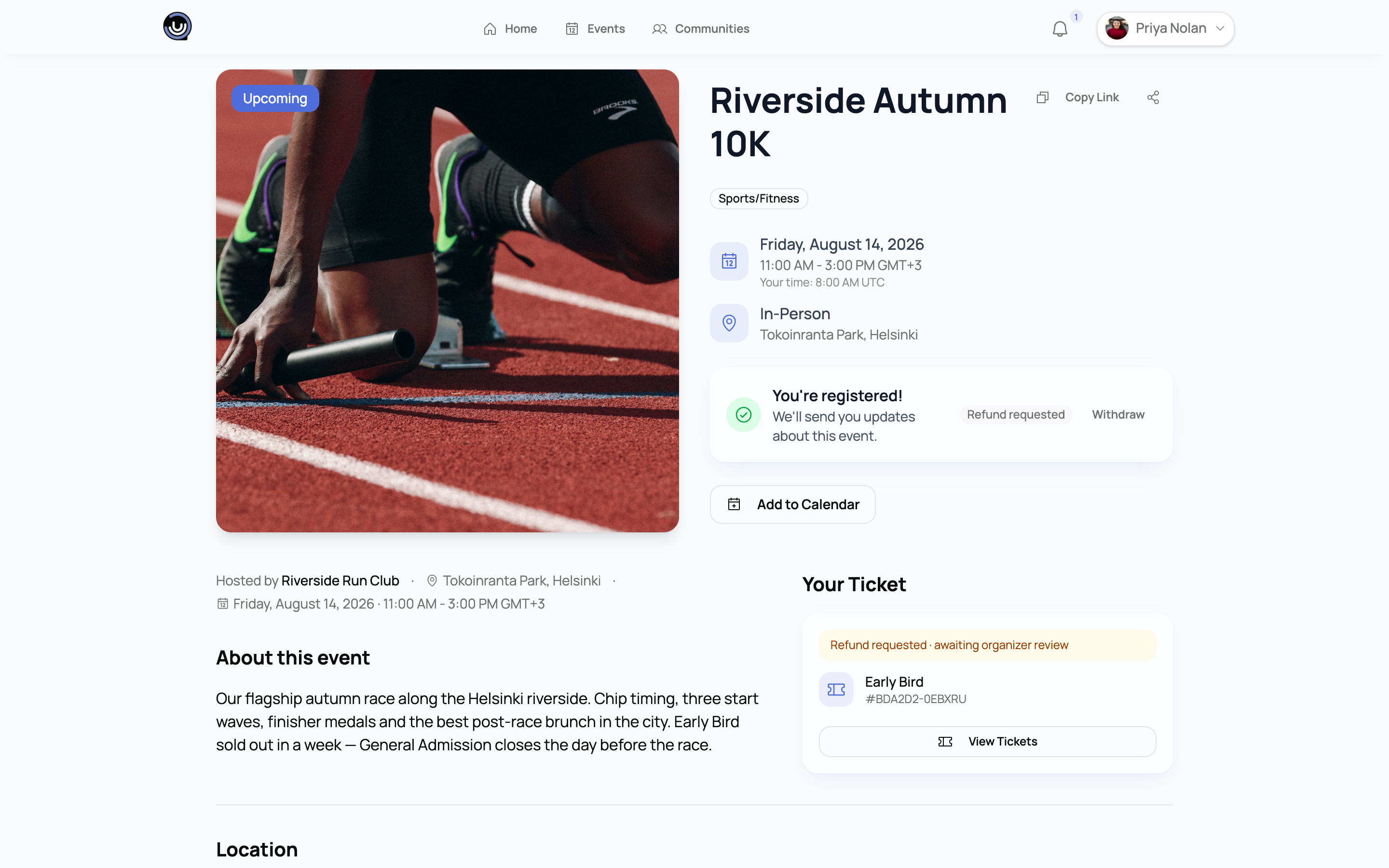
If you change your mind before the organiser has responded, you can withdraw your request. Go back to the same place where you submitted it and cancel. Once the organiser has already approved or denied it, you can't take it back.
What happens after approval
When the organiser approves your request, the full amount you paid, including any platform fee, is refunded to your original payment method. You'll receive a confirmation notification. The money may take a few business days to appear in your account, depending on your bank.
If the organiser denies your request, you'll be notified with their reason.
For organisers: managing refund requests
When an attendee submits a refund request, you'll receive a notification. You can view all pending requests from your event's management area.
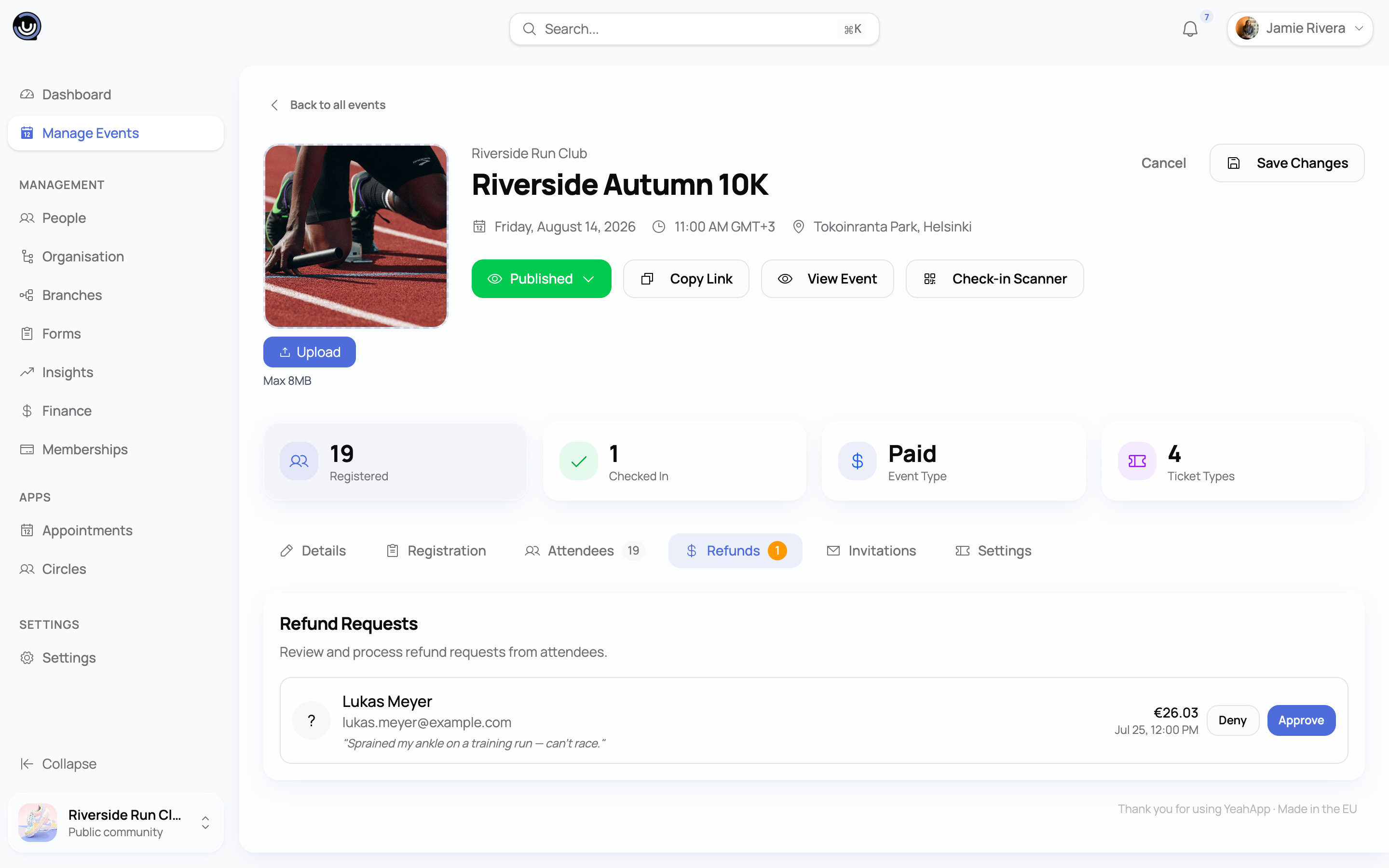
For each request, you can:
- Approve it, which refunds the buyer immediately
- Deny it, which notifies the attendee
When you approve, Stripe returns the full amount the buyer paid, including the platform fee, and draws it from your community's Stripe balance. There's no time limit on how long you can take to respond, but attendees are waiting on you, so getting back to requests quickly is good practice.
Where the money comes from
Refunds run through Stripe against your community's connected account. Payouts to your bank follow your normal Stripe payout schedule, and there's no separate hold on event funds. If you approve a refund after the related sales have already paid out, Stripe draws it from your current balance, so it's worth keeping enough there to cover the refunds you expect to approve.
What each status means
| Status | What it means |
|---|---|
| Pending | The attendee has submitted a request and is waiting for your decision |
| Approved | You've approved it and the refund has been issued |
| Denied | You've denied the request and the attendee has been notified |
| Cancelled | The attendee withdrew their request before you responded |
Related guides
- Creating and organising an event - full walkthrough from creation to post-event analytics
- Types of events you can create - free and paid events, and what's available for each